How to enter the Starter Code
14/10/2026
Starter CodeTANTHUNot case-sensitive (tanthu, TanThu... all work).
Codes (gift codes) are released by the Management Team during events or on the Fanpage. Enter a valid Code to receive gifts right in the game.
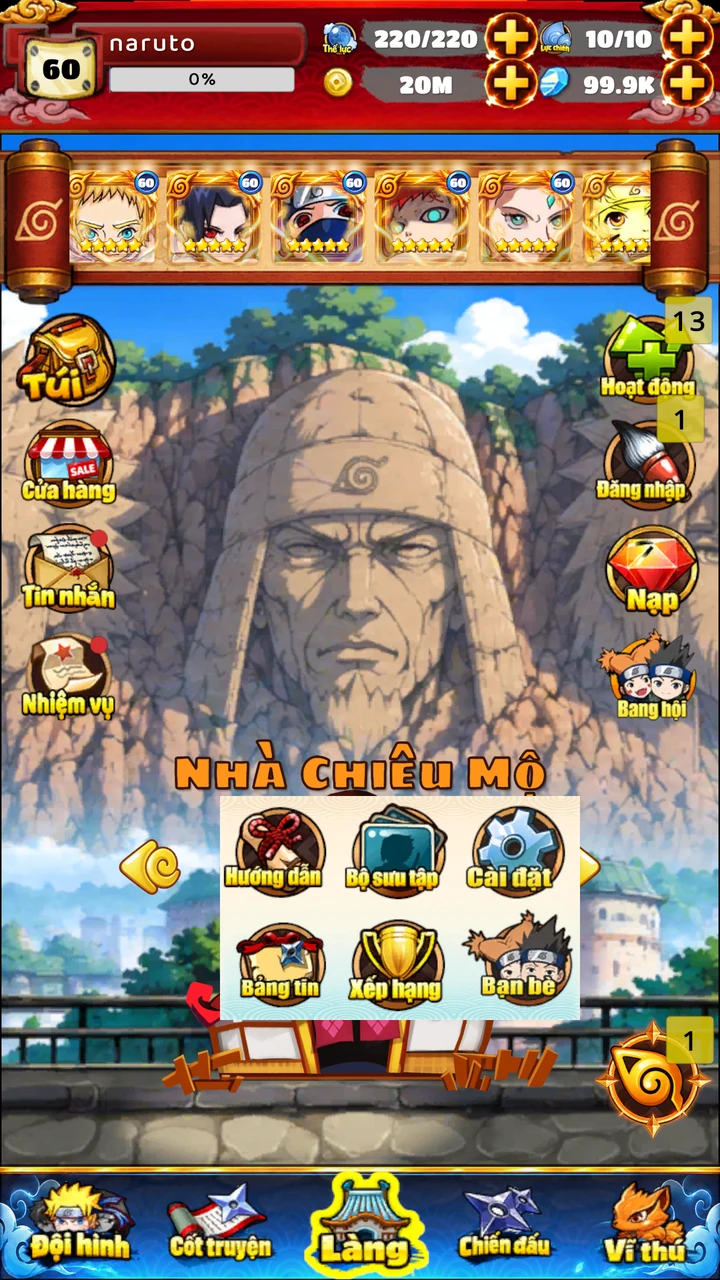
Step 1: Open Settings
On the Village screen, tap the swirl icon at the bottom right (next to the Tails button) to open the function panel, then choose Settings (the red frame in the picture).
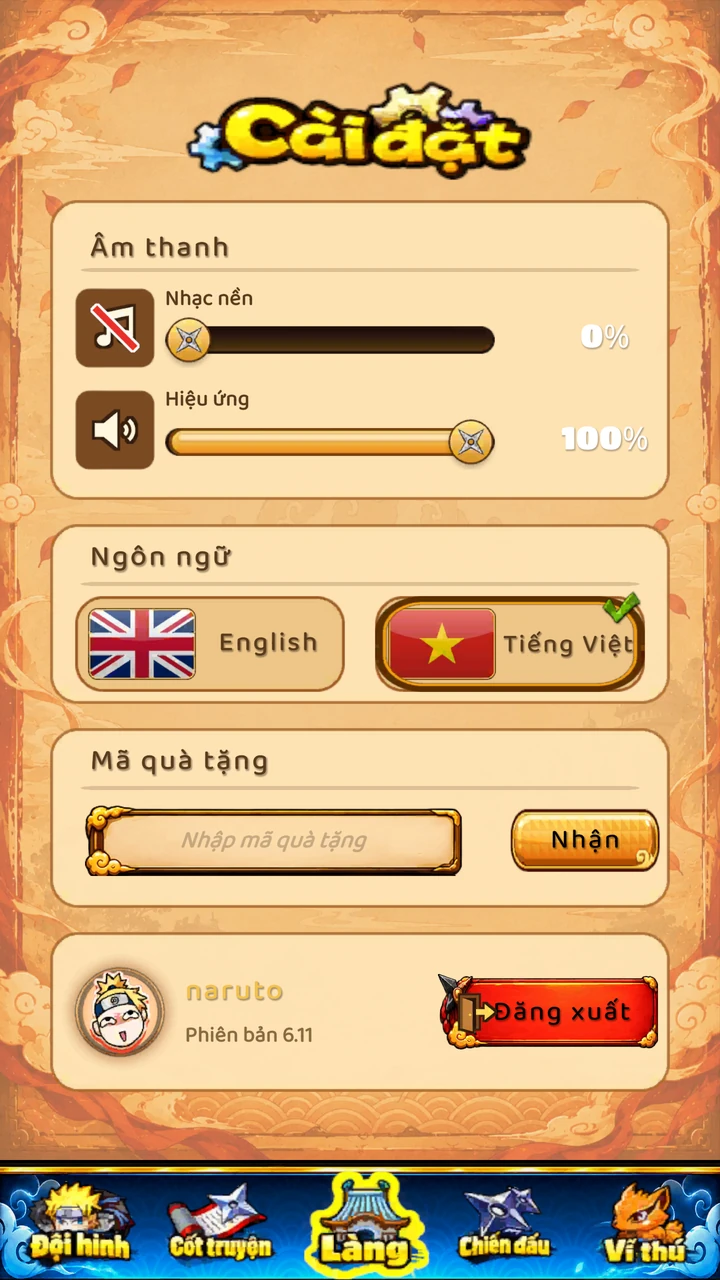
Step 2: Enter the Code
On the Settings screen, tap the "Enter gift code" box, type the Code and tap the Receive button.
Result
- Received: the gift is claimed and the items are added to your account (check your Bag).
- Previously used code!: you (or this personal Code) already used it, so you cannot claim it again.
- Failed!: the Code is wrong, not valid yet, or expired.
Notes
- Enter the Code exactly and double check look-alike characters.
- Each account can claim each Code type only once. Codes have an expiry time.
- Some Codes are made for one person only and can be used just once.
- Only take Codes from the game's official channels to avoid scams.
- The screenshots show the Vietnamese interface; switch the language in Settings if you like.